Volumize: Volumetric Mesh Generator for Houdini

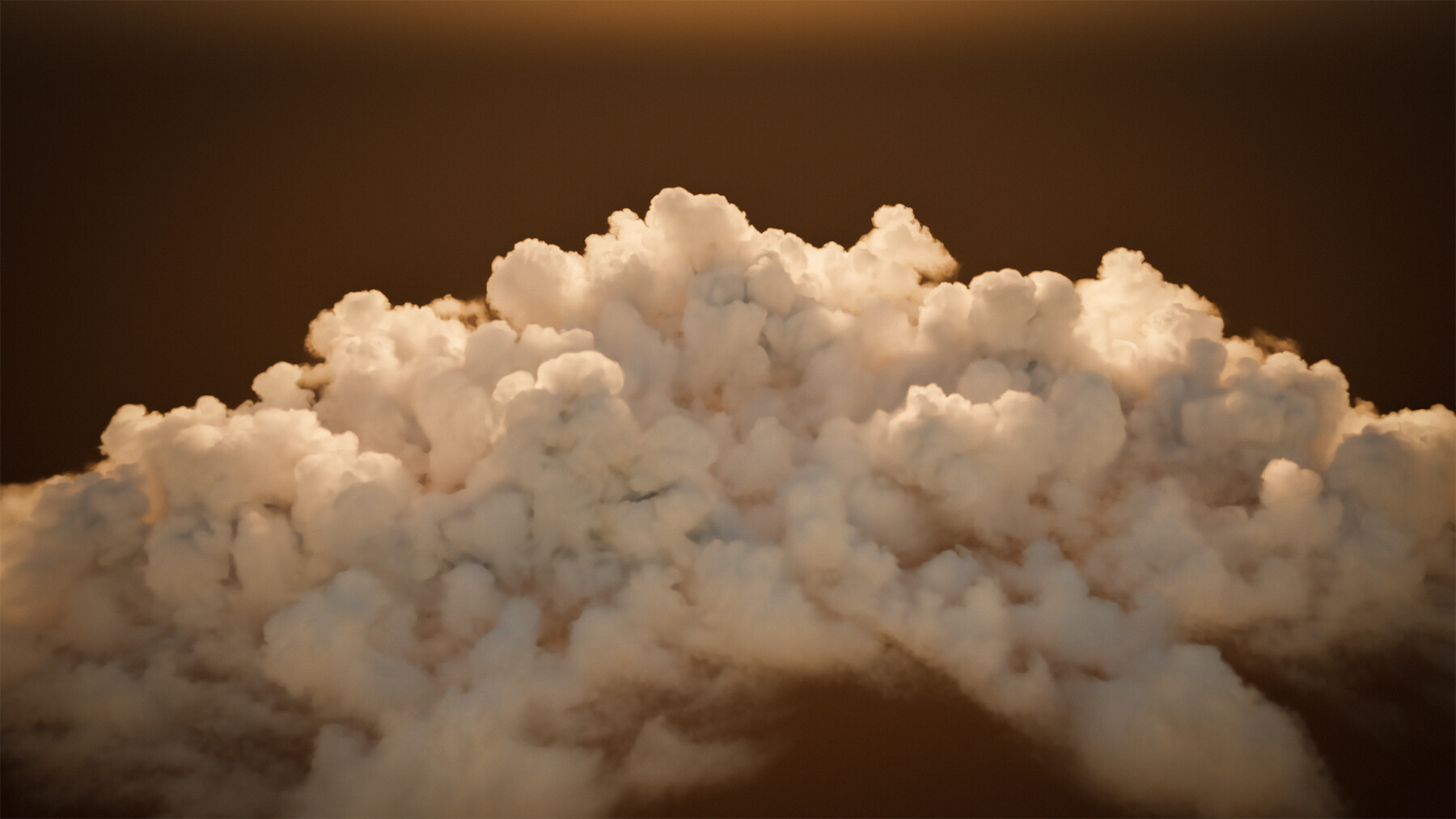


VDB data goes in, a 3D volumetric mesh with UVs and textures comes out. As simple as that.
Includes:
MBG Volumize Houdini Digital Asset(HDA)
IMPORTANT: Match your purchase to your Houdini License. Houdini files are strictly locked to their software license tiers. When selecting your product license below, you must choose the one that matches your current version of Houdini:
- If you use Houdini FX / Core ➔ Purchase the Commercial License (.hda)
- If you use Houdini Indie ➔ Purchase the Indie License (.hdalc)
- If you use Houdini Apprentice ➔ Purchase the Apprentice/Personal License (.hdanc)
Note: Due to the nature of digital goods and Houdini's strict file restrictions, no refunds or support will be provided if you purchase the wrong product license for your software version. Please double-check your Houdini version before completing your purchase.
All license types include the following as well:
- MBG_Volumize_manual.pdf: A detailed PDF containing information about the logic and usage of the parameters.
- Volumetric Example Scene: A Marmoset Toolbag 5 scene that showcases an example implementation of the volumetric mesh. The scene utilizes a single 4K .png texture and a 3D .fbx mesh.
3D Mesh Features:
- 3D volumetric mesh generation in a matter of a few minutes,
- Uniform resolution and fixed-number resolution support,
- Input voxel size matching resolution support,
- Vertex color support.
UV & Texture Features:
- Texture baking in a matter of seconds,
- Packed texture output option,
- Density mapping modifiers for fine-tuning,
- UDIM offset support.
Optimization Features:
- Polygon reduction option powered by PolyReduce,
- Batch processing option for cinematic shots,
- Input voxel size locking resolution,
- Small file size.
Misc Features:
- Natural scattering even with a low number of bounce lights,
- Render pass support* for Marmoset Toolbag 5,
- And many customization options.
*Only a certain set of render passes is compatible with the current implementation. These passes are: AO, Depth, Position, and lighting-related passes.
Installation:
Copy and paste MBG.Volumize.1.0.hda, MBG.Volumize.1.0.hdalc, or MBG.Volumize.1.0.hdaln to the following directory:
C:\Users\[Your Username]\Documents\houdini[Your Houdini Version]\otls
Requirements/Suggestions/Disclaimers:
- Houdini 21 and Marmoset Toolbag 5 or above are required to use these digital assets. They may work in earlier versions of the software, but they have not been tested in those versions, and no support will be provided for them.
- Read the manual included carefully to understand how the node works. You can also refer to my blog post regarding the approach I utilized while setting up shaders: Thinking Outside the Shader: Alternative Volumetric Techniques for Marmoset Toolbag
- Ray tracing is required for this approach to work properly in Marmoset Toolbag.
- Do not expect the script to generate geometry as soon as you connect the VDB to the input of the node. You have to click the Generate Planes button to start generating the 3D mesh. This is an optimization and a quality-of-life design choice on my part to improve iteration and responsiveness.
- Currently, the resolution of the planes is limited by input voxel resolution for optimized performance. But the planes per axis can still exceed the voxel resolution, as it can yield more convincing results.
- If you notice aliasing or pixelation in the output texture, make sure you use a higher voxel size resolution, since that is likely the bottleneck in the density mapping pipeline.
- You have to generate planes from scratch if you enable/disable axes, and you have to layout UVs from scratch if you generate a new set of planes. This is required to maintain density mapping and resolution cohesion among different axes.
- All three axes have to be enabled to export the packed texture properly. Otherwise, the unused channels of the packed texture will be completely black.
- Both vertex colors and textures can be used to drive the transparency of the planes, but the vertex color approach fails if you intend to incorporate the compositor of a material layer, as ray tracing data isn't updated properly due to a current bug.
- If you have any issues with the product, feel free to send me a message with your purchase reference number.
Go render some volumetrics!